
 Estimated Read Time: 7 Minutes
Sections in this article:
What Are Contract Relationships?
Contract relationships let you link a contract record to one or more other contract records in Gatekeeper. This keeps related agreements connected and easy to navigate between, which is particularly useful for organisations managing complex or high-volume agreements, such as a Master Services Agreement (MSA) linked to several Statements of Work (SOWs), or an original contract linked to its amendments and renewals.
Relationship Types
When you link two contracts, you set a relationship type:
- Parent: the contract sits above another contract in the hierarchy. For example, an MSA is the parent of its SOWs.
- Child: the contract sits below another contract in the hierarchy. For example, an SOW is a child of its MSA.
- Linked: the contracts are related but not hierarchical, for example a renewal linked to the original contract it replaces.
Note: A contract can only have one parent, but it can have multiple child and linked relationships.
View Contract Relationships
View On a Contract Record
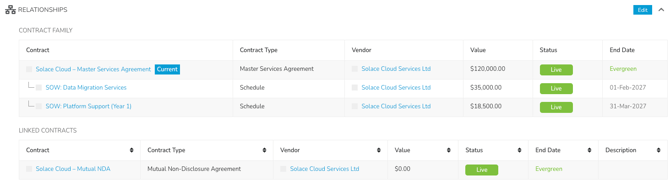
Relationships display on a contract record's Data tab, showing the hierarchy of parent, child, or linked contracts. Click the links to navigate between the related contract and vendor records.
View On a Workflow Card
When a workflow card is associated with a contract record, the Related Contracts tab displays the contract's relationships.
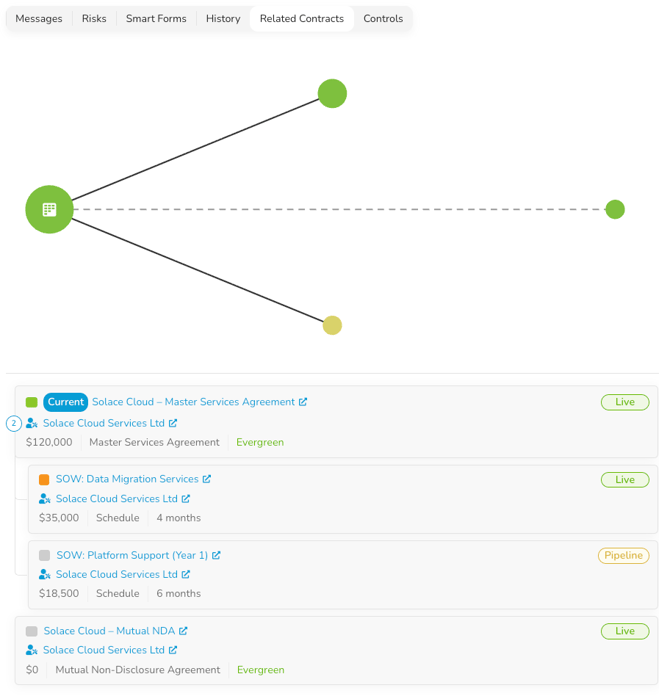
This includes:
- A relationship map
- Each bubble represents a related contract. Its colour reflects the contract's status (green for Live, yellow for Pipeline, grey for Archived), and its size reflects its annual value.
- A workflow icon
 marks the contract(s) attached to the card itself.
 - Solid lines with an arrow show parent/child hierarchy, 🔴with the arrow pointing to the child🔴, whereas dashed lines show linked contracts.
- Contracts that are overdue or approaching their end date show a coloured end date label next to the bubble.
- A list
- Each row shows the related contract's name and vendor (with links to open each record), status, value, contract type, RAG status, and when it expires.
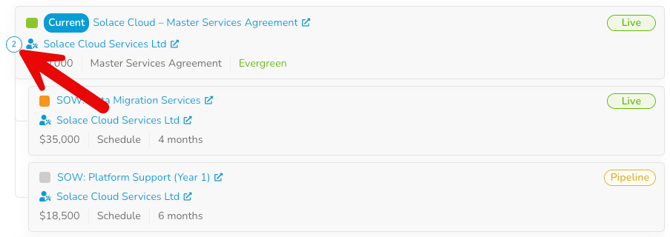
- Click the number next to a parent contract to expand or collapse its child contracts.
Clicking a contract on the map highlights the matching row in the list, and similarly, selecting a row highlights the matching bubble in the map.

Configure Contract Relationships
Set Relationships in the Vault
Relationships can be set up on a contract record when adding or editing it in the Vault. To add a relationship:
- When editing a record, click the Relationships section.
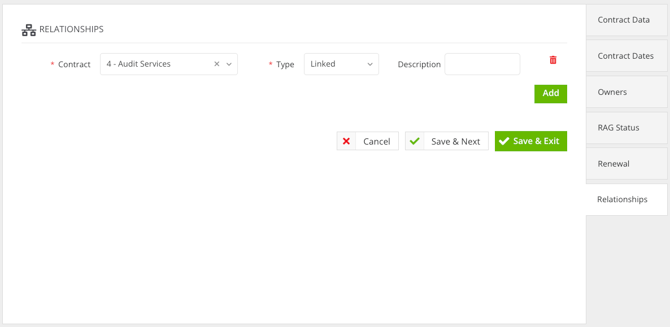
- Search for and select the contract you wish to link to.
- Select the relationship type.
- If you select Linked, enter a Description if required.
- To add additional relationships, click Add then repeat steps 2 to 3 for all contracts that need to be linked.
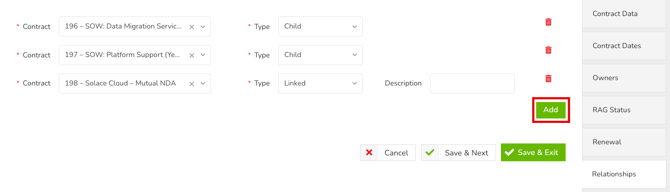
- Once finished, click Save & Exit.
Note: The relationship type you select describes the contract you're linking to, relative to the contract you're currently editing. For example, if you're on the MSA's record and set the SOW's relationship type to Child, the SOW becomes the child of the MSA.
Set Relationships via a Workflow
A Contract Relationships section can be added to a workflow form, so relationships can be set as part of a workflow process. This section is separate from the Contract predefined section, so it must be added in addition when building the form.
To configure this:
- Navigate to the relevant workflow and click on a phase to edit it.
- From Form, click ADD SECTION.
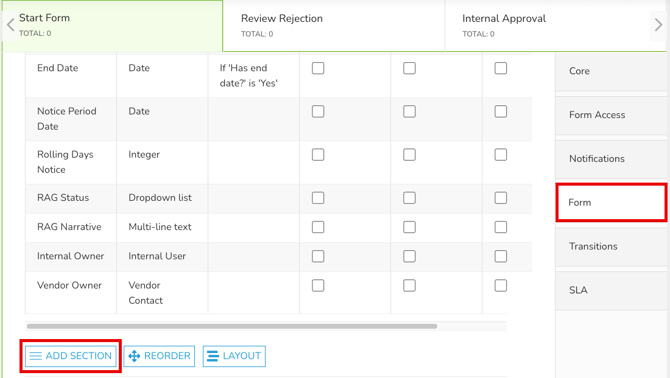
- Enter a name for the section. This will appear as a heading on the form.
- From the Predefined dropdown, select Contract Relationships.
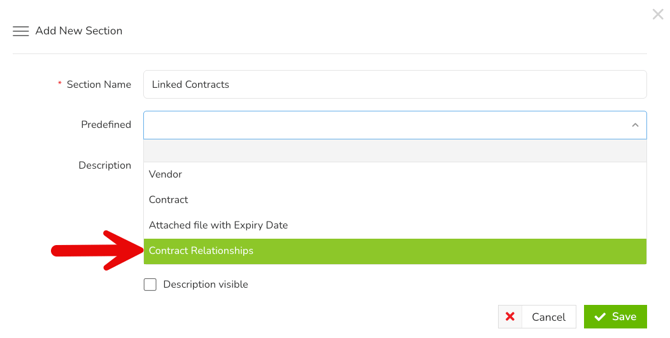
- If needed, enter a description to provide guidance to users completing the form. Select the Description visible checkbox to make it visible on the form.
- Once finished, click Save.
- This automatically adds the Contract, Relationship Type, and Description fields to the form. Configure the visibility of the section and fields within it for each phase in the workflow.
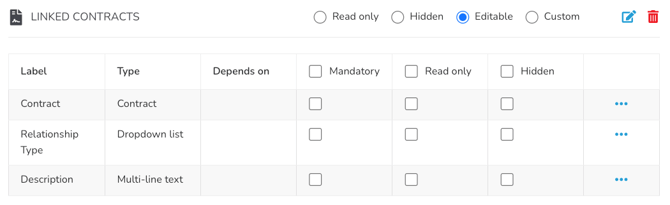
Once the Contract Relationships section has been added, users can fill in the fields when completing the workflow form.

Note: The relationship type you select describes the contract you're linking to, relative to the contract you're currently editing. For example, if you're on the MSA's record and set the SOW's relationship type to Child, the SOW becomes the child of the MSA.
When a contract record is then created or updated through an action, that information is applied to the contract record's relationships.
Note: When using an AutoAction to create or update the contract record, the Contract Relationships checkbox within Edit AutoAction Values determines whether the relationship data submitted on the form is applied to the contract.
This checkbox is selected by default, except when the Contract Relationships section is added to a workflow that already has one of these AutoActions configured.
FAQs